
Presenter profile
Your name, affiliation, contact lines, default language, unit word and teaching style, saved as studio.json.
The presenter profile is who the decks are by. New decks put the name and affiliation on the title slide and the contact lines on the closing slide, and the assistant gets the profile as context, including how you teach or speak.
Open it from the profile button on the library screen (your name, or Set up your profile), from View › Presenter Profile… in the workspace, or from the first step of the Getting started checklist.
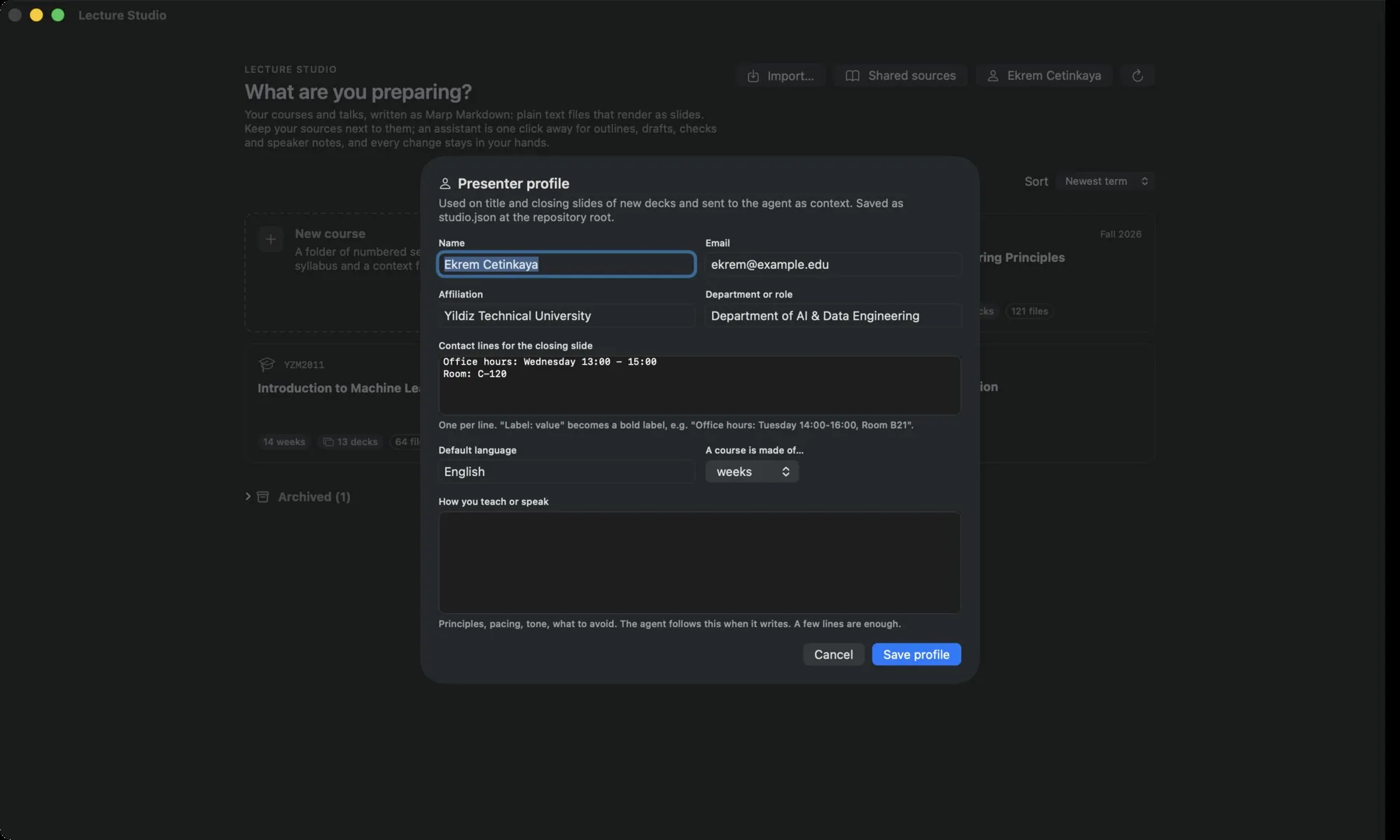
Fields#
| Field | Used for |
|---|---|
| Name | Title slide, closing slide, chat context. Required. |
| Closing slide. | |
| Affiliation | Title slide: university, company or event. |
| Department or role | Title slide. |
| Contact lines for the closing slide | One per line. Label: value renders as a bold label, for example Office hours: Tuesday 14:00–16:00, Room B21. |
| Default language | The language new courses and talks start with. |
| A course is made of… | The default unit word for new courses: weeks, sessions, modules, lectures, days or parts. |
| How you teach or speak | Principles, pacing, tone, what to avoid. The assistant follows this when it writes. A few lines are enough. |
Save profile writes studio.json at the root of the library and shows a toast. Later (on first run) or Cancel closes without saving.
On disk#
{
  "name": "Ada Lovelace",
  "email": "ada@example.edu",
  "affiliation": "University of Example",
  "unit": "Department of Computer Science",
  "contact": ["Office hours: Tuesday 14:00-16:00", "Room: B21"],
  "language": "English",
  "unitLabel": "week",
  "style": "Short sentences. One idea per slide. Examples before definitions.",
  "exclude": ["scripts"]
}
Empty fields are left out. exclude is the list of top-level folders hidden from the library; it is edited from the card menu and Settings, not from this dialog. A longer teaching style can go into a TEACHING_STYLE.md next to it; the assistant reads that file when it exists.
Profiles are per library
Each library folder has its own studio.json. If the library is a git repository, the profile travels with it, and a new checkout without one is pre-filled from the git user name and email.