
Marp decks
What a deck file contains, what the scaffolds create, the shipped themes, and the in-app reference.
A deck is a Marp Markdown file: plain text you can read, diff and version. Slides are separated by ---, the block at the top sets the deck's options, and HTML comments on a slide are speaker notes. Nothing is stored in a proprietary format, and any Marp tool renders the same file.
Anatomy of a deck#
---
marp: true
paginate: true
size: 16:9
header: "CS101 - Data Structures"
footer: "**Week 3**: Stacks and Queues"
style: |
  section { font-size: 20px; }
---

<!-- _class: lead -->
<!-- _paginate: false -->

# Stacks and Queues

Ada Lovelace - University of Example

---

# Today's agenda

- What a stack is
- What a queue is

<!-- Start with the plate stack. Ask who has used undo today. -->

---

<div class="two-columns">
<div class="column">

### Stack

- Last in, first out

</div>
<div class="column">

### Queue

- First in, first out

</div>
</div>
- Front matter is the block between the first two
---lines:marp: truemakes the file a deck;paginate,header,footer,size,theme,mathand astyle: |block apply to the whole deck. - Slides are separated by a line with only
---. Each slide is 16:9 at 1280×720. - Per-slide directives are HTML comments such as
<!-- _class: lead -->or<!-- _paginate: false -->. The underscore means "this slide only". - Speaker notes are any other HTML comment on a slide. They show under the preview and in presenter mode, never on the slide.
- Images:
from the unit's assets folder. Marp extras:for a background,orfor a split,to size. - Columns and HTML: HTML is enabled.
<div class="two-columns">withcolumnchildren gives two columns in the house style; small inline styles work too. - Math:
$…$and$$…$$when the front matter hasmath: mathjax.
The full syntax is in the Marpit Markdown reference, one click away under Help › Marp Markdown Reference.
How decks work#
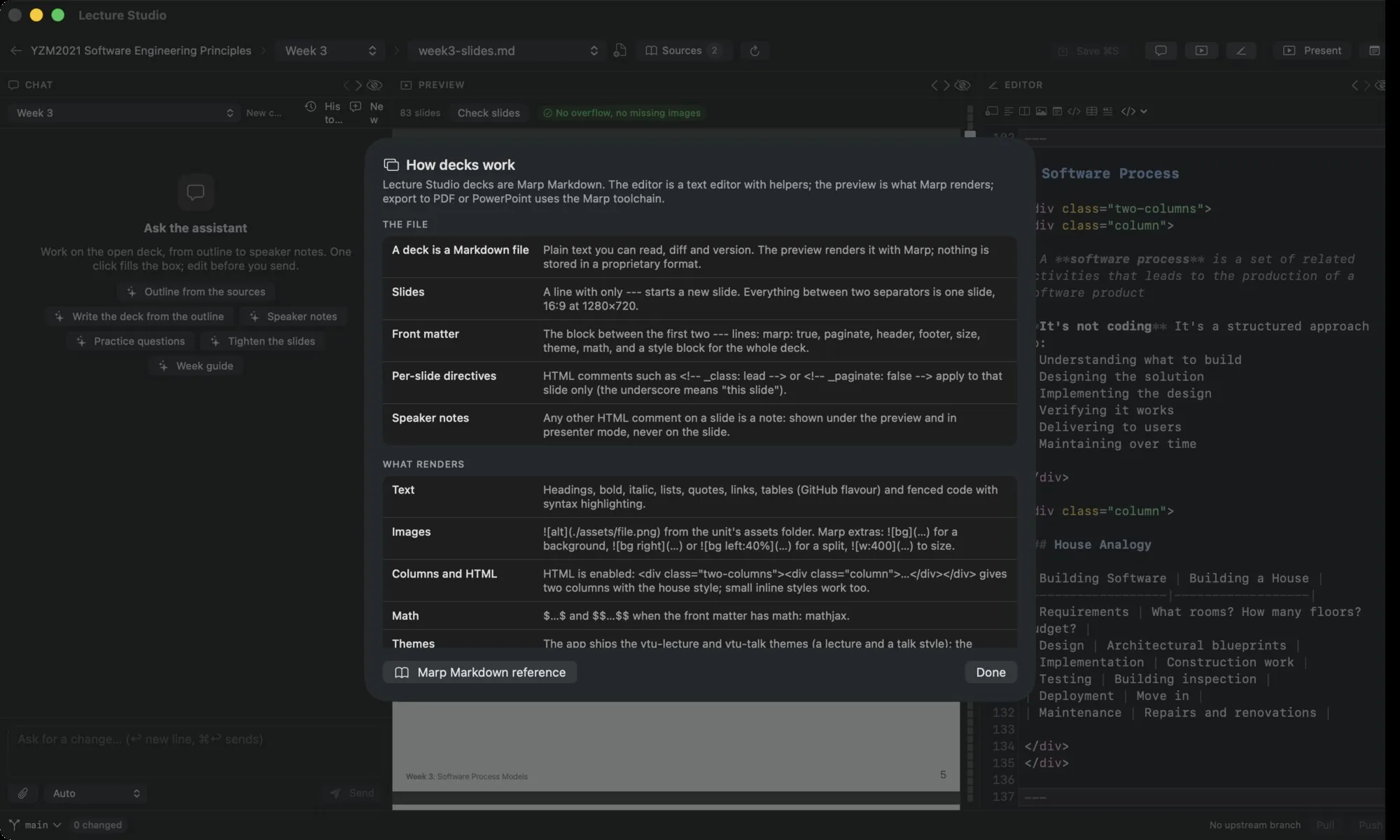
The ? button on the editor toolbar and Help › How Decks Work (Marp) open a one-page reference inside the app with the points above and what renders: text, images, columns, math, themes and the checks.
What the scaffolds create#
New week writes a deck with:
- A title slide with the course code, title, unit and topic, and your name and affiliation from the profile.
- A recap slide for every unit after the first.
- Today's Agenda.
- A first concept slide in two columns.
- Summary.
- A preview of the next unit.
- Thank You! with your contact lines.
The front matter sets paginate: true, size: 16:9, a header with the course code and title, a footer with the unit and topic (bold when the course's existing decks use bold), and a style: | block: 20 px body text, 36, 30 and 24 px headings, and the .two-columns layout. math: mathjax is added when the course uses math.
New talk writes a deck with a title slide (no page number, header or footer), Agenda, Why This Matters, The Core Idea, Takeaways and Thank You, with 22 px body text and 42, 32 and 26 px headings.
The scaffolds embed their style so the decks look the same in any Marp tool, with no theme file to ship.
Themes#
The app ships two Marp themes, ytu-lecture and ytu-talk, and makes them available to the preview. A deck that names theme: ytu-lecture in its front matter uses it; a deck that names no theme renders with Marp's default theme. To render a themed deck outside the app, pass the theme file to marp-cli with --theme-set; the files are in the themes/ folder of the source repository.
Checks#
Check slides in the preview renders every slide and flags text that runs past the slide edge and images that fail to load. See The preview.